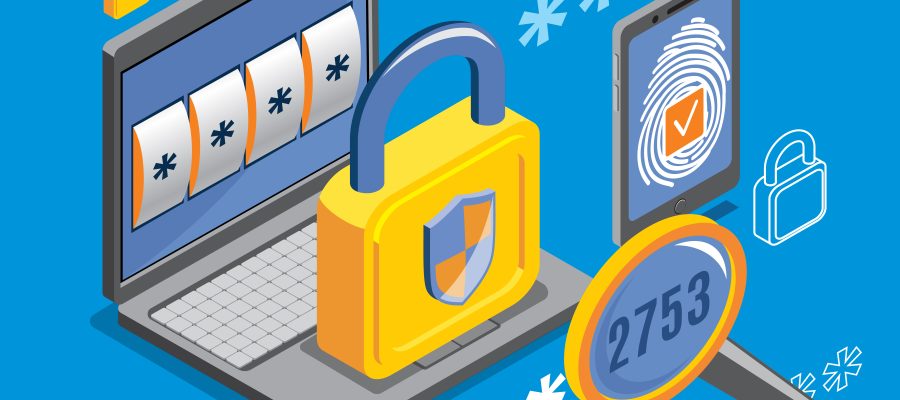
Why do we need secure passwords?
 Passwords are the keys to your online identity. They are meant to protect your personally identifying information, your money, your interests, your shopping history – just about everything – against cybercriminals.
Even if you use biometrics to open your phone or computer, or access your bank account with facial recognition, have you ever tried to create an account and the company didn’t require a password? Nor have I. So, in all probability, passwords are here to stay for a long time yet.
Crackers have enormous password lists, with millions of passwords and their variants, which can be run through at very fast speeds; and the processing speed of computers is always increasing. So, all other factors being equal, it takes less time to crack a password now than it did a few years ago.
For that reason, we need strong passwords: ones that are difficult to crack.
To make a strong password:
DON’T
- reuse the same password with a different number appended to it; e.g. if your previous password was “chuckoversquite” don’t change it to “chuckoversquite1”
- reuse the same password with the service appended (or prepended) to it; e.g. if your standard password – you shouldn’t have one of those! – was “brick_and_tile”, don’t use “brick_and_tile_facebook”, “brick_and_tile_instagram” etc.
- use any word found in any dictionary, even in other languages
- use “password” as your password
- substitute special characters or symbols for letters; e.g. don’t use p@%5w0rd as your password. This is called munging, and crackers are well aware of it.
- use dates – birthdays, marriage dates, etc; in any format
- use names – yours, your family members’, sport teams, pets, nicknames, or those of characters from films or books
- titles or quotes from books, films, or songs
- frequently change your password: if it isn’t broken, don’t fix it. This is because:
- The more frequently you change your password, the more likely you are to confuse the new one with an old one;
- the more likely you are to choose a simpler, shorter, easier-to-recall password; or
- fall foul of one of the other “don’ts”.
DO
- use a password generator to create long, complex, random passwords.
- “Long” might be considered about 16 characters, but with a password generator and manager, it could – and can and should, I say – be double that. The longer the password, generally the more secure it should be, as long as it is not a word found in the dictionary.
- “Password” is neither random nor complex. “Pafi*23OT%AC” is; more or less.
- use a combination of upper- and lower-case letters, numbers, and special characters.
- use a passphrase: a series of connecting ideas or words; something that’s meaningful to you. (But don’t use a well-known phrase, from a movie or book.)
- To me, this would be the exception to the rule of not using dictionary words. If you use a dozen, short, perhaps munged words, that could be quite difficult to hack. Remember, the longer the passphrase, the more difficult it is to hack (unless it’s a single dictionary word. I’m sure supercalifragilisticexpialidocious and antidisestablishmentarianism are already in hacker word lists.)
- Such a passphase, for example, might be: US1bikeduckchain2danceBalboarailway1630
- The passphrase can be memorable as an association of people, places and events, but there is nothing that links them together apart from my own experience. I could add some special characters – !@#$%%^ etc – to add to the difficulty of cracking it, but I think it would be secure enough for most practical purposes.
To help keep your accounts and passwords more secure:
- Don’t reuse the same password.
- Don’t store your passwords where they can be easily found, such as on a sticky note on or in your desk.
- Do use a password manager to store the passwords, so you don’t have to remember them. Keep only a few key passwords in your memory: like the one to access the password manager.
- I have used KeePass Password Safe for several years, and have no complaints. It works well, is kept updated, has a user-friendly interface, and hasn’t ever crashed.
- It also has a customizable password generator, and a colored meter which shows the strength and bit size of the chosen password.
- It’s free, and the developers say it’s open source.
- Do use
- two-factor authentication, 2FA
- multiple-factor authentication, MFA – as an extra layer of defense.
- This involves entering an extra code into the website, that the company sends to you (usually via SMS) after you’ve entered your username and password.
- The thinking behind this is that hackers shouldn’t have access to your phone, even if your username and password are compromised. However, 2FA isn’t unhackable either.
Other factors to consider:
Have my details been hacked already?
The website https://haveibeenpwned.com has searchable lists of personal details like email addresses and passwords that have been found in files of hacked data.
How to check your password’s strength
There are websites that claim to check password strength. I used the sites below: they seemed genuine (i.e. not a trick to get your passwords), but I don’t know for sure if they are or not.
- https://password.kaspersky.com/
- https://bitwarden.com/password-strength/
- https://nordpass.com/secure-password/
Creating a password at random – lkjh5592dWHY79!@#&^ – I checked the strength on the websites above, and they all told me the password was strong, and would take centuries to crack.
The password I created above (US1bikeduckchain2danceBalboarailway1630) received the same rating, and is somewhat simpler to remember.
(I accidentally pasted https://password.kaspersky.com/ into the bitwarden page, and it told me that it was a strong password and would take centuries to crack! Long passwords, even if they include several dictionary words, along with special characters, are more difficult to crack.)
I would always be careful about using these “testing/checking” sites: while many would be genuine, I also wouldn’t be surprised if hackers are behind others. Maybe it is somewhat paranoid, but I think it’s worth being careful about your personal security.
Nevertheless, I wouldn’t check an actual password that I was going to use on any of these tools: I’d create one that was similar – although that doesn’t guarantee the strength of the two would be similar – and evaluate my real password based on the result of the substitute.
Salted hashes – inedible, but more secure.
If possible, make sure that the service you are entering your personal details into hashes, and ideally salts, passwords.
Hashing means to use an algorithm, essentially a mathematical formula, to change a plaintext password into an alphanumeric string of a fixed length. It cannot be reversed (or else, only with great difficulty), so your plaintext password should be secure.
Salting is an extra layer of protection. Before hashing, some extra, random, alphanumeric characters are added to the password. So even if the crackers use rainbow tables (lists of passwords in both their plain and hashed forms), the extra characters will change the hash, and make it less likely that the password can be cracked. Salting also helps prevent problems if different users choose the same password.
I had an account on a particular website where I learned, by accident, they kept the password in plaintext. I had had to update my personal details (not my password) and they sent me confirmation of the update – and, additionally, sent my password to me in an email! If anyone had intercepted that email, they could have hacked my account. Moreover, if they hacked the company, they would have obtained every client’s details. Who knows? Maybe they have already.
Finally…
Even with a strong password, as the technologies for increasing security improve, so also do tools and techniques for cracking passwords; however, perhaps one of the most effective means to harvest passwords is not a tool but a technique; social engineering, in which cybercriminals manipulate normal human emotions and reactions to lure you into revealing your personal details. Phishing is an example of social engineering (you can read about that here.)
Keep your guard up!
Note: I’ve mentioned several websites and tools in this post, and my experience with them; but this doesn’t mean that I endorse that these sites or tools or claim that they are genuine, trustworthy and unhacked. Use them at your own discretion and risk. Moreover, I receive no remuneration or consideration from any of these products or websites.
Contact me
- Contact page.
- E-mail at info@cybereducation.ro
- Phone call at 0771 754476, Monday to Friday 9:00 - 17:00.
- The contact form below.

Leave a Reply